Customer Data Endpoint
Customer Data Endpoint
Overview
The Customer Data Endpoint is an optional URL on your backend that Churnkey calls during a hosted cancel-flow session. You return a JSON object of customer attributes — anything you want to expose, like plan, monthly usage, account tenure, or support-ticket count — and Churnkey makes those attributes available inside the cancel-flow targeting engine. That means you can show different offers, ask different questions, or route customers to different outcomes based on data only your backend knows.
It's most useful with the email verification path, because Churnkey doesn't know who the customer is until they verify their email — so there's no way to pass attributes up front. The endpoint also works with Cancel Links when you'd rather have Churnkey fetch the data than embed it in the link.
You only need this if you want to personalize offers based on data Churnkey doesn't already have. If your flow shows the same offers to everyone, you can skip this page entirely.
When to use it
The endpoint shines whenever your retention strategy depends on context that lives in your product database. A few real examples:
- "Show a 50% discount only to customers on the Pro plan with more than 6 months of tenure."
- "Skip the pause offer for customers who've already paused twice this year."
- "Route customers with active support tickets to a 'talk to support' screen instead of the discount."
The pattern is always the same: you collect the attributes in your backend, return them as JSON, and reference them in your Cancel Flow's targeting rules. Churnkey handles the wiring — your job is to decide which attributes matter and to expose them.
Configuration
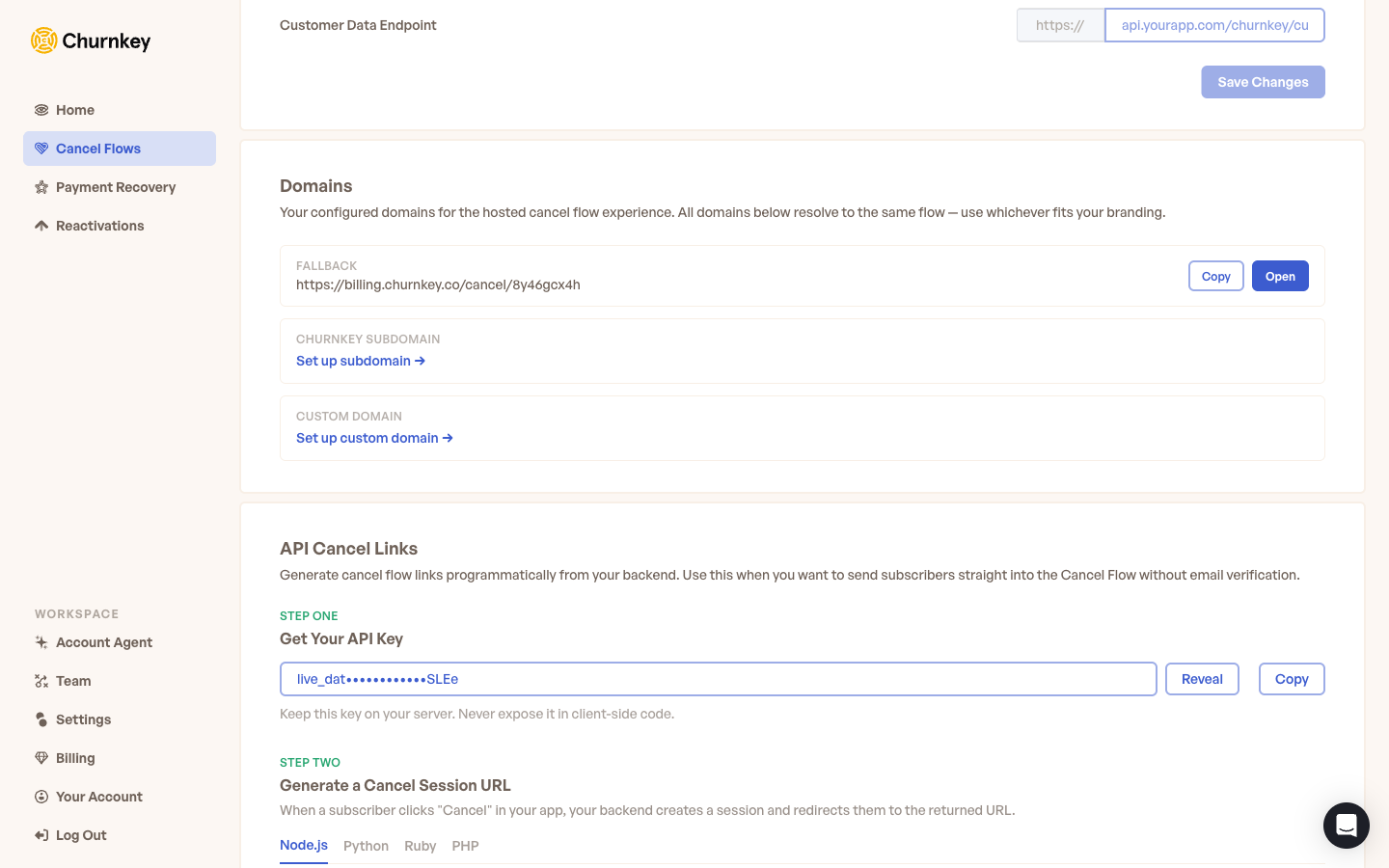
Open Cancel Flow → Hosted → Setup in your dashboard and set the Customer Data Endpoint field to a fully-qualified HTTPS URL on your backend. For example:
https://api.yourapp.com/churnkey/customer-data
Save the setting. From that point on, Churnkey calls this URL at the start of every hosted-flow session, before the first screen renders. The response is cached for the duration of the session, so a single call covers the entire cancellation journey.
What Churnkey sends to your endpoint
Churnkey makes a POST request to your URL with a small JSON body containing the customer identifier and a signed proof that the request really came from Churnkey:
{
  "customerId": "cus_abc123",
  "signature": "hmac-sha256-hex-of-customerId-using-your-api-key"
}
The signature is an HMAC-SHA256 hex digest of the customerId, computed using your Churnkey API key as the secret. You should validate it on every request before returning any customer data — this prevents anyone who guesses your endpoint URL from pulling customer attributes out of your backend.
const crypto = require("crypto");

function verifySignature(customerId, signature) {
  const expected = crypto
    .createHmac("sha256", process.env.CHURNKEY_API_KEY)
    .update(customerId)
    .digest("hex");
  return crypto.timingSafeEqual(
    Buffer.from(signature),
    Buffer.from(expected)
  );
}
import hmac, hashlib, os

def verify_signature(customer_id: str, signature: str) -> bool:
    expected = hmac.new(
        os.environ["CHURNKEY_API_KEY"].encode(),
        customer_id.encode(),
        hashlib.sha256,
    ).hexdigest()
    return hmac.compare_digest(expected, signature)
require "openssl"

def verify_signature(customer_id, signature)
  expected = OpenSSL::HMAC.hexdigest(
    "sha256",
    ENV["CHURNKEY_API_KEY"],
    customer_id
  )
  Rack::Utils.secure_compare(expected, signature)
end
<?php
function verifySignature($customerId, $signature) {
    $expected = hash_hmac('sha256', $customerId, getenv('CHURNKEY_API_KEY'));
    return hash_equals($expected, $signature);
}
If the signature doesn't match, return a 401 and stop processing — Churnkey will continue the flow without the extra attributes.
What your endpoint should return
Respond with a 200 OK and a JSON body shaped like this:
{
  "customerId": "cus_abc123",
  "subscriptionId": "sub_xyz789",
  "customerAttributes": {
    "plan": "pro",
    "monthlyActiveUsers": 47,
    "tenureMonths": 18,
    "isOnPaymentRetry": false,
    "supportTicketsLastMonth": 2
  }
}
Here's what each field does:
customerId is optional. You can echo back the same ID Churnkey sent, or override it if your billing-provider ID differs from how you store the customer internally — Churnkey will use whatever you return for the rest of the session.
subscriptionId is also optional. Set it when a customer has multiple subscriptions and you want to narrow the cancel flow to a specific one.
customerAttributes is the part you'll use the most. It's a flat object of key/value pairs where values can be strings, numbers, or booleans. These are the attributes your Cancel Flow targeting rules will read when deciding what to show.
Using attributes in your Cancel Flow
Once the endpoint is live and returning attributes, you reference them inside your Cancel Flow:
- Open your Cancel Flow in the dashboard.
- On any step, offer, or branch, add a condition that references one of your attributes — for example,
plan equals "pro"ortenureMonths greater than 6. - Save the flow. The attributes are evaluated live during each session, so every customer sees the offers that match their data.
Latency and reliability
If your endpoint returns an error, fails the signature check, or never responds, Churnkey continues the flow without the extra attributes — the customer never sees a blocking error or loading state. Any targeting rules that depended on missing attributes simply won't match.
Because the customer is waiting while Churnkey calls your endpoint, keep response times short — ideally a few hundred milliseconds or less. If you're computing expensive aggregates (like a count of support tickets across a long history), cache the result on your side and recompute on a schedule rather than on every request. A slow endpoint will slow down the entire cancel-flow load.
Never include sensitive data — passwords, full credit card numbers, social-security numbers, internal tokens — in customerAttributes. The values are evaluated client-side in the cancel-flow targeting engine and could be inspected by the end user via browser developer tools. Treat anything you return as if the customer themselves can read it.
Combining with attributes you pass directly
If you use the embedded JavaScript SDK instead of (or alongside) the hosted flow, you can pass customerAttributes directly into the window.churnkey.init('show', { ... }) call from your frontend. That works because the SDK runs in a session where your app already knows who the customer is.
The Customer Data Endpoint is the hosted-flow equivalent of that pattern. Use it when there's no JavaScript context on your side to pass attributes from — for example, when the customer arrives at Churnkey through an email link or a direct hosted-flow URL, and your backend is the only place that knows the full picture.
Email Verification
Let any customer reach the hosted cancel page on their own — they enter their email, receive a verification code, and continue without any backend integration on your side.
Cancel Flow Structure
Learn about the available components that make up a Cancel Flow, from initial offers to cancellation confirmation, and how each step contributes to the overall flow.